
Are you experiencing issues with your DSTV decoder?
At Bluesat, we understand the frustration that comes with technical glitches and interruptions in your entertainment experience. That’s why we offer a comprehensive guide on resetting your DSTV HD decoder and Explora Decoder ensuring a seamless troubleshooting process. Follow our step-by-step instructions to get your decoder up and running in no time. However, if you require further assistance, our expert support team is always here to help
Don’t let technical glitches interrupt your entertainment. Follow our guide and get back to enjoying your favourite DSTV programs with ease. Trust Bluesat, for all your DSTV decoder troubleshooting needs.
A Step-by-Step Guide for Seamless Troubleshooting your DSTV Decoder
Troubleshooting steps may vary depending on the specific issue and model of your DSTV decoder. It’s always a good idea to consult the user manual or contact us for additional troubleshooting resources that are specific to your decoder model.
By trying these troubleshooting steps, you should resolve the issue with your DSTV decoder.
Power Cycle the Decoder
The first step in troubleshooting your DSTV decoder is to perform a power cycle. Simply switch off the decoder using the power button on the device or by disconnecting it from the power source. Wait for at least 10 seconds before plugging it back in or turning it on. This power cycle helps clear any temporary glitches and resets the decoder’s internal settings.
Check Satellite Connection
Ensure that the satellite dish connection to your decoder is secure. Verify that the cables are tightly connected and that there are no visible damages or obstructions. If necessary, gently realign the satellite dish to optimize the signal reception.
Verify Signal Strength
Access the Signal Strength menu on your decoder to check the signal quality. Navigate to the Menu or Settings section of your decoder locate the Signal Strength option and view the signal levels. Ideally, you should aim for a signal strength of at least 75% for optimal viewing experience
Perform a System Reset
If the previous steps didn’t resolve the issue, it’s time to perform a system reset. Access the System Reset option in the Menu or Settings section of your decoder. Select the appropriate reset option which may be labelled as “Factory Reset” or “Clear All Data.” Note that performing a system reset will erase all personalized settings and recordings so make sure to back up any important data beforehand.
Update Software (if applicable)
Check if there is a software update available for your DSTV decoder. Use the decoder’s software update feature to download and install the latest software version. Keeping your decoder’s software up to date ensures compatibility with the latest features and bug fixes.
Contact Bluesat for Support
If you have followed the above steps and are still experiencing issues with your DSTV decoder, it’s time to reach out to Bluesat for support. Our knowledgeable and friendly team is ready to assist you with any troubleshooting or technical difficulties you may encounter. Contact our support hotline or visit our website to connect with our dedicated support staff.
Understanding the Need for Resetting a DSTV decoder: Restoring Functionality and Resolving Technical Issues
Are you experiencing software glitches, frozen screens, error messages or slow performance with your DSTV decoder? At Bluesat, we understand the frustration that comes with these issues and that’s why we want to shed light on the importance of resetting your decoder. Resetting serves as a troubleshooting step, helping to resolve minor technical issues and restore normal functionality. Let’s delve into why a DSTV decoder may need to be reset?
Software Glitches:
- Over time, DSTV decoders can encounter software glitches that may affect their performance. These glitches can manifest as unresponsive menus, slow channel switching, or overall sluggishness. By performing a reset, you can clear temporary software conflicts and restore the decoder to its default settings, improving its performance.
Frozen Screens:
- A frozen screen is a common issue that can occur when using a DSTV decoder. It typically happens when the decoder encounters a temporary error or gets stuck in a specific state. Resetting the decoder provides a fresh start by clearing any frozen processes or conflicts, allowing it to function properly again.
Error Messages:
- Error messages on your DSTV decoder can be frustrating and confusing. They may indicate issues with signal reception, network connectivity, or software malfunctions. Resetting your decoder can help eliminate these error messages by resetting the internal settings and resolving any temporary issues that may be causing them.
Slow Performance:
- If you notice that your DSTV decoder is becoming increasingly slow in responding to commands or navigating through menus, it could be a sign of accumulated temporary files or fragmented data. By performing a reset, you can clear out these unnecessary files and optimize the decoder’s performance, resulting in faster and smoother operation.
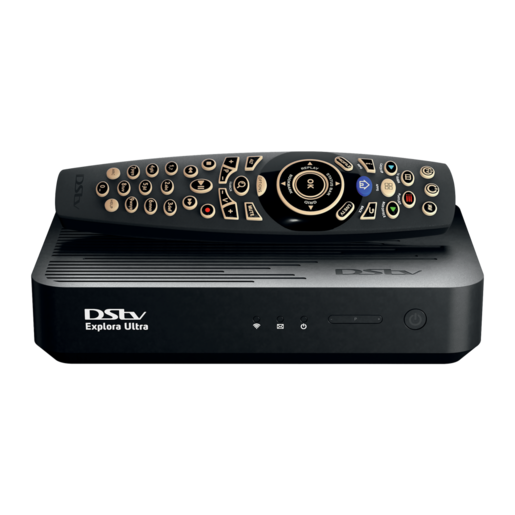
Why it is important to reset your DSTV decoder?
Resetting your DSTV decoder is a crucial troubleshooting step that helps resolve minor technical issues and restore normal functionality. It is a quick and effective way to clear temporary glitches, conflicts and errors that can impede your viewing experience. By resetting, you can avoid unnecessary frustration and regain the full potential of your DSTV decoder.
However, it’s important to note that a system reset will erase all personalized settings and recordings on your decoder. Therefore, it is advisable to back up any important data before proceeding with the reset. Additionally, if you encounter persistent or more complex issues, we recommend that contact us for professional assistance on further troubleshooting and guidance.
At Bluesat we understand the importance of a seamless viewing experience. By understanding the need for resetting your DSTV decoder and taking advantage of this troubleshooting step, you can quickly restore functionality, overcome technical hurdles and enjoy uninterrupted entertainment.
Final Thoughts: Ensuring Uninterrupted Entertainment with Bluesat’s Troubleshooting Expertise
By following our comprehensive step-by-step guide, you can easily troubleshoot and reset your DSTV decoder, ensuring a seamless entertainment experience. From power cycling to verifying signal strength and performing a system reset, these troubleshooting steps cover common issues and help restore your decoder’s functionality.
However, if you encounter persistent difficulties or need further assistance, don’t hesitate to reach out to our expert support team at Bluesat. We’re here to help you get back to enjoying your favorite DSTV programs without interruption.
Reach Out for Seamless Support: Contact Bluesat Today
Don’t let technical glitches disrupt your entertainment. For personalized assistance, troubleshooting support, or any questions regarding your DSTV decoder, contact Bluesat’s dedicated support team today. Whether it’s software updates, signal optimization, or complex technical issues, we’re committed to ensuring your viewing experience remains seamless. Reach out to us via our support hotline +27 67 696 9257 or visit our Contact Page for more contact information. Trust Bluesat for all your DSTV decoder troubleshooting needs.